
Target24
Build a route from number cards to a target. Higher levels add cards, operations, and solution paths that require more planning.
Target24 is a make-the-target card puzzle. Your child combines two number cards with an available operation and replaces them with the result. Every move changes the choices that remain. The same combine-and-replace rule continues from a direct two-card calculation to four-card plans, nested routes, and exponent puzzles.
- One rule across 85 levels
- Combine two cards, replace them with the result, and finish on the target.
- New solvable boards
- The level changes the cards, target, available operations, number of moves, and how many routes can work.
- No countdown
- The child can inspect the calculation history, undo a move, reset the same board, and try another plan.
- Level range
- Levels 1-85 · Preschool through Advanced Challenge
See one complete Target24 puzzle
In the app, the child selects two cards and an operation. Their result replaces both cards. They keep combining until one card remains; it must equal the target.
- 1
Choose two number cards
Both selected cards will be used in the next calculation.
- 2
Choose an available operation
The result replaces those two cards, changing every move that remains.
- 3
Reach the target
Use every starting card exactly once and finish with the target value.
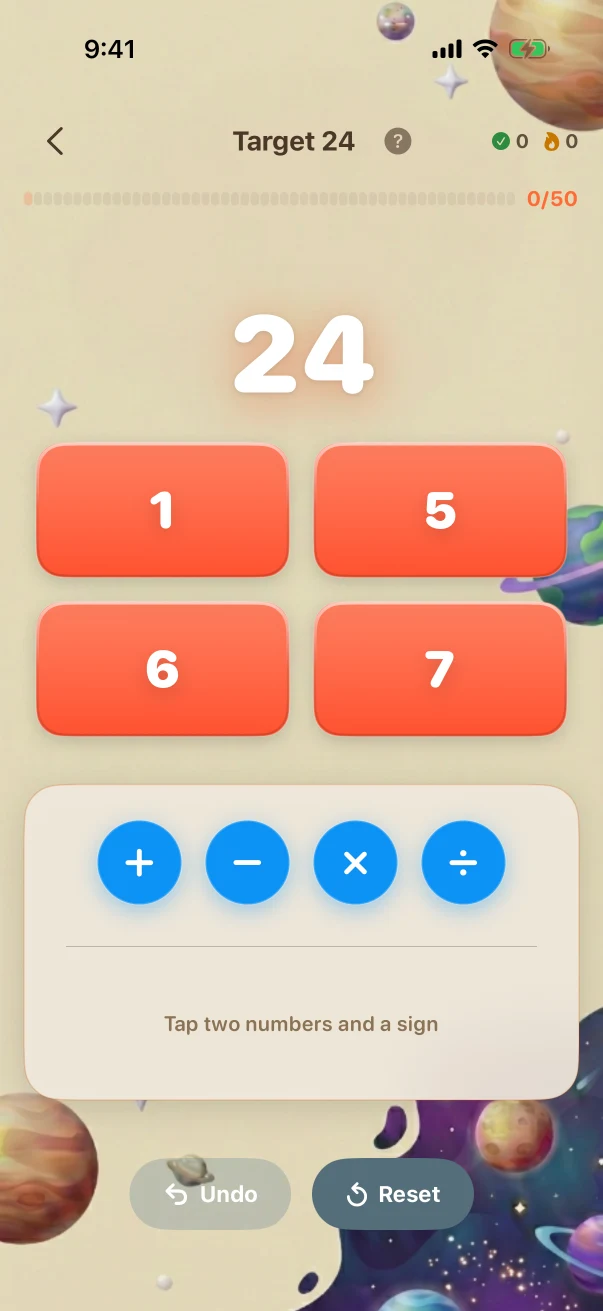
This example stays the same on the website so you can compare it. The app creates new problems during play.
- 5 × 6 = 30
- 7 − 1 = 6
- 30 − 6 = 24
Six puzzle-building routes behind one game
Target24 uses one combine-and-replace mechanic. The app can build solvable boards around six genuinely different routes; these are ways to construct a puzzle, not six extra game types.
Direct combinations
Combine values directly to reach the target.
A two-card sum becomes a four-card route with several possible merge orders.
Direct combinations · Later challenge · Level 21 The child is viewing the task before submitting an answer.
Direct combinations · Later challenge · Grade 4 · Level 21 of 85
- What the child is solving
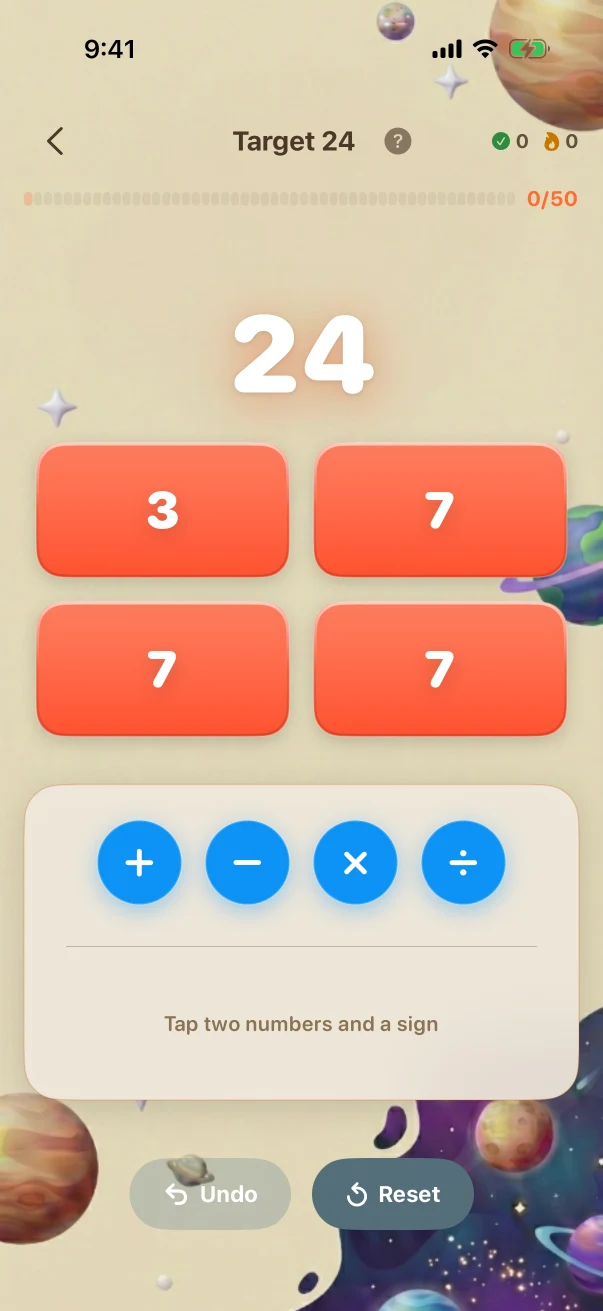
- Make 24 from 3, 7, 7, 7
- What counts as correct
- (3 + 7) + (7 + 7)
The child is viewing the task before submitting an answer.
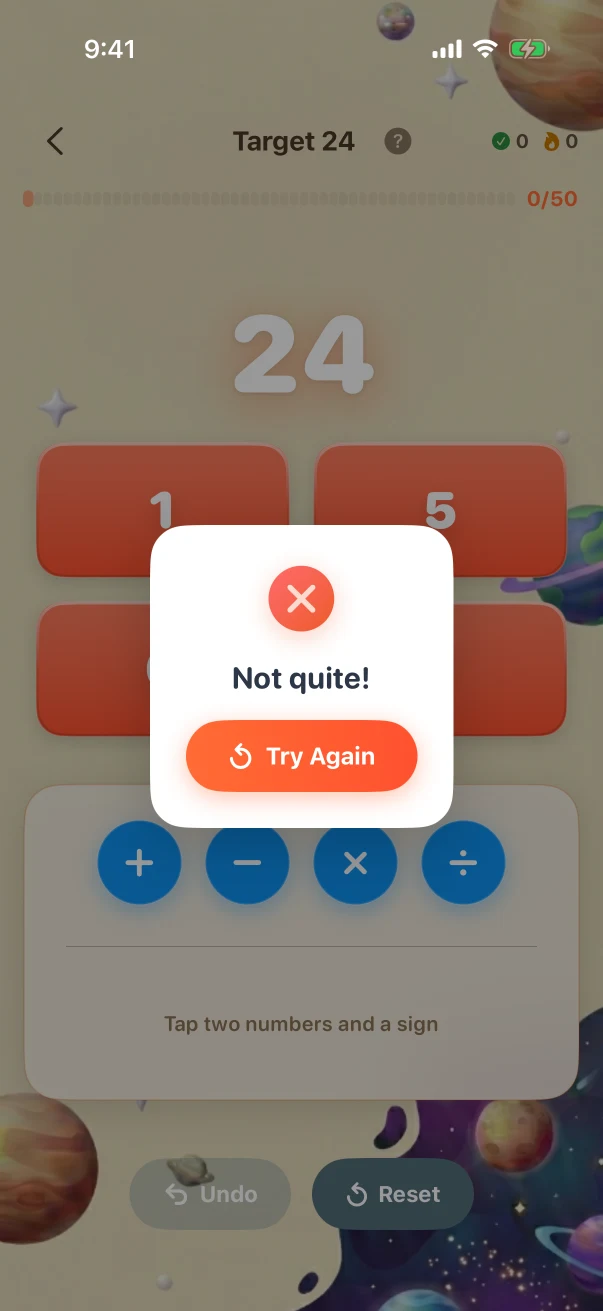
The attempted route stays visible after a miss
The same Level 30 board shows how a solvable puzzle appears, how a legal route can still miss, what remains visible, and how the child can retry.
- 1
A solvable board appears
The app chooses cards, a target, and the available operations for this level.
- 2
A legal route can still miss
Each merge may follow the rules while the final card ends away from the target.
- 3
Reset restores the same cards
The child can inspect the calculations, undo, or restore the original board and try a different order.
What genuinely changes across the full level path
The comparisons add new rules, operations, representations, interactions, and reasoning steps. Larger numbers or longer item lists alone are not treated as proof that a challenge is harder.
Direct combination
2 + 4The Level 1 example reaches a small target with one direct addition.
Build a useful factor
(5 × 6) − (7 − 1)The Level 30 example must create a factor before the remaining calculations can reach the target.
Nest one result inside another
(9 − (7 ÷ 2)) × 6The Level 66 example uses a quotient inside a later factor, so merge order matters across the full route.
Build an exponent route
11 ^ (3 − (9 ÷ 9))The Level 81 example must create and use an exponent under the highest-level operation rules.
What the child is practising in the visible task
These are bounded practice goals tied to the actions shown above, not promises that one game replaces teaching or proves mastery.
Notice number relationships
Factor pairs, differences, and useful intermediate values are visible in every successful route.
Plan several moves
Using one pair of cards removes those choices, so the child must consider what the result enables next.
Change strategy after a miss
The same cards return after an unsuccessful route, making a different order or operation directly testable.
Fixed website examples, fresh app practice
The iPhone screenshots in this guide show reviewed examples checked against the app's current problem and answer rules. Use the controls to compare exact app states; the screenshots stay fixed so families can inspect them. At launch, the app will create new practice at the child's own level. Viewing this guide does not change app progress or earn anything toward a Screen Time unlock.
Daily browser game
A separate limited browser puzzle. It is not a generated app session that follows the child's full 85-level progression, and it awards no access points.
Try today's browser gameFull Braincove app at launch
Fresh Target24 boards follow the child's level. Parents can change the number of puzzles in a session and choose whether eligible completed app sessions contribute toward the Screen Time unlock rules they set. Core practice can continue through a temporary connection gap; family sync, Daily, homework, and cross-device updates still need connectivity.
Get the app launch email